How to find wheelchair-accessible mosques
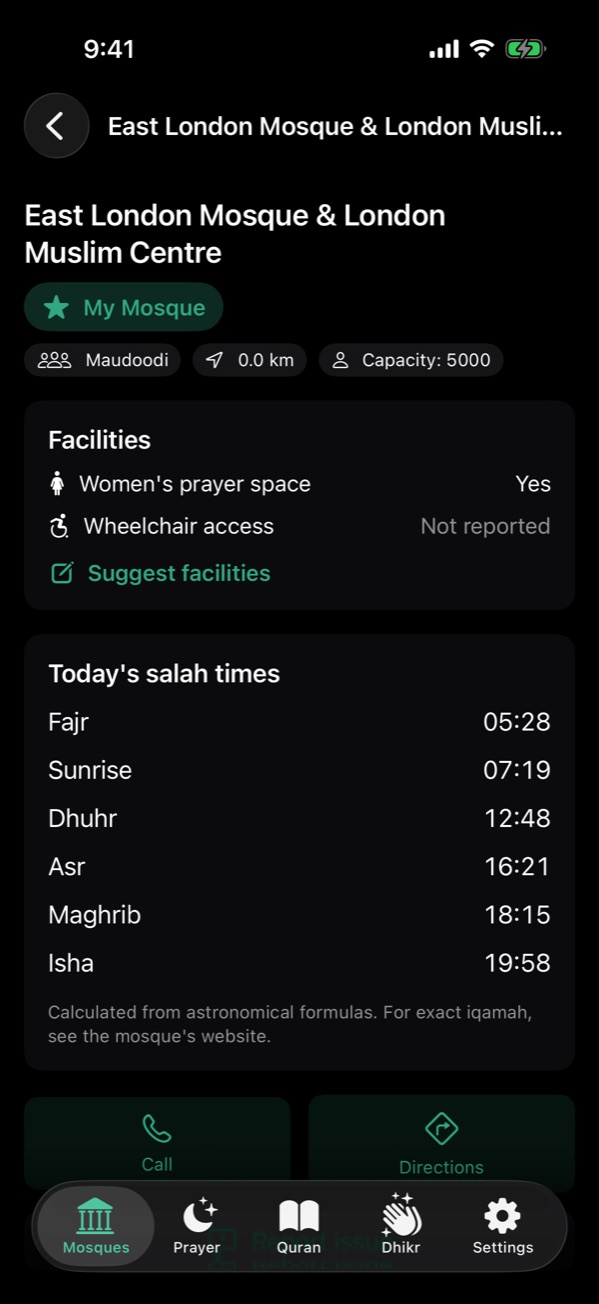
In NearMasjid, tap the filter on the Mosques tab and turn on Wheelchair access. Only mosques with known step-free access stay on the map and list. Each mosque shows Yes, No or Not reported, and you can suggest details you know with Suggest facilities.
Filter for access
- Open the Mosques tab in NearMasjid.
- Tap the filter button and turn on Wheelchair access.
- Tap a mosque to see its details and directions.
Not reported isn’t “no”
Many mosques simply haven’t been checked yet. If a mosque says Not reported, call ahead or check its website.
Share what you know
Tap Suggest facilities on a mosque you know. You can also add the wheelchair tag on OpenStreetMap, which this website and the app’s OpenStreetMap data use.
Accessibility, shown honestly
NearMasjid shows wheelchair access only where it is known, and says Not reported instead of guessing.
Download on the App StoreFree for iPhone and iPad. No ads, no account, no in-app purchases.
Frequently asked questions
Where does the wheelchair information come from?
From the mosque directory, OpenStreetMap’s wheelchair tag, and user suggestions that are reviewed before publishing.
Do city pages on this website show accessibility?
Yes, where OpenStreetMap records a mosque as wheelchair accessible, the city page marks it.