
The best way to use a mosque finder on iPad
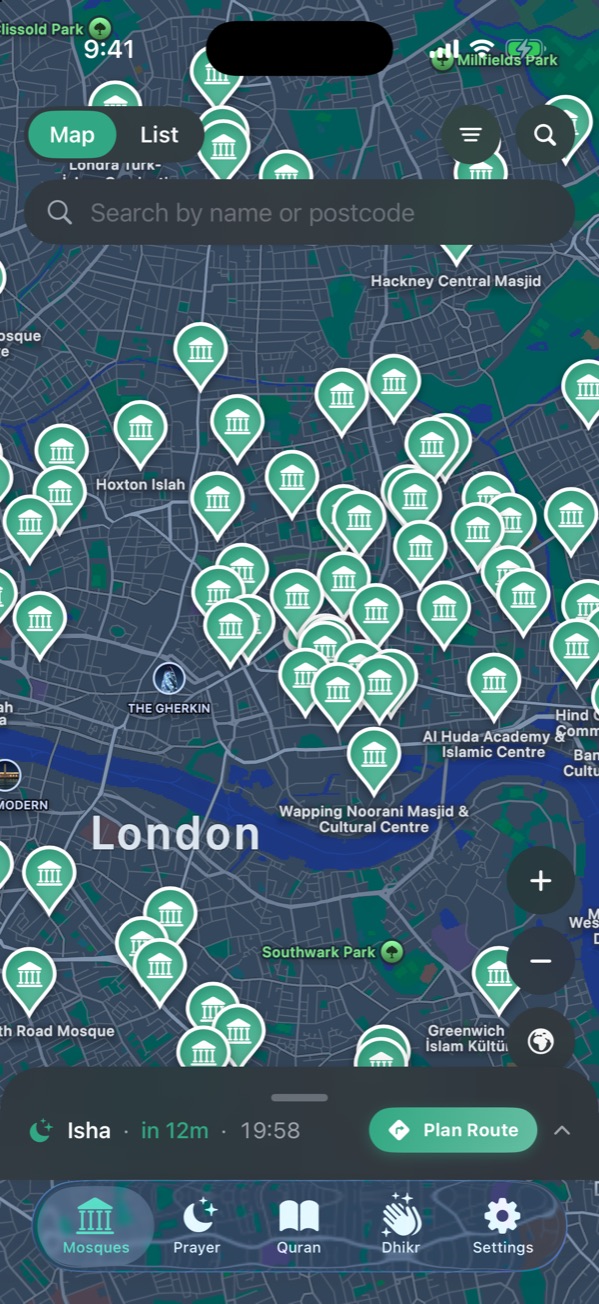
On iPad, NearMasjid shows the mosque list beside the map and opens mosque details in a side panel, so you never lose your place. The Prayer tab shows today’s prayers as large tiles with a sun arc, and the Quran reads like a printed page. The same free download works on iPhone and iPad.
Mosques
The list sits beside the map. Tap a mosque and its details, facilities and prayer times open in a side panel next to the map.
Prayer
Today’s prayers appear as large tiles, with the next prayer highlighted, and a sun arc shows where the day is between Fajr and Isha. The Hijri date, the times source and the Qibla sit underneath.
Quran
The mushaf fills the screen like a printed page, in the Madinah or Indo-Pak style.
Languages
The whole app works in English, Arabic and Urdu, right to left where needed.
Built for the big screen
NearMasjid’s iPad layouts put the list, the map and the details side by side.
Download on the App StoreFree for iPhone and iPad. No ads, no account, no in-app purchases.
Frequently asked questions
Does it work in landscape?
Yes, in portrait and landscape.
Is it a separate purchase?
No. NearMasjid is free and one download covers iPhone and iPad.