
How to find the Qibla accurately on iPhone
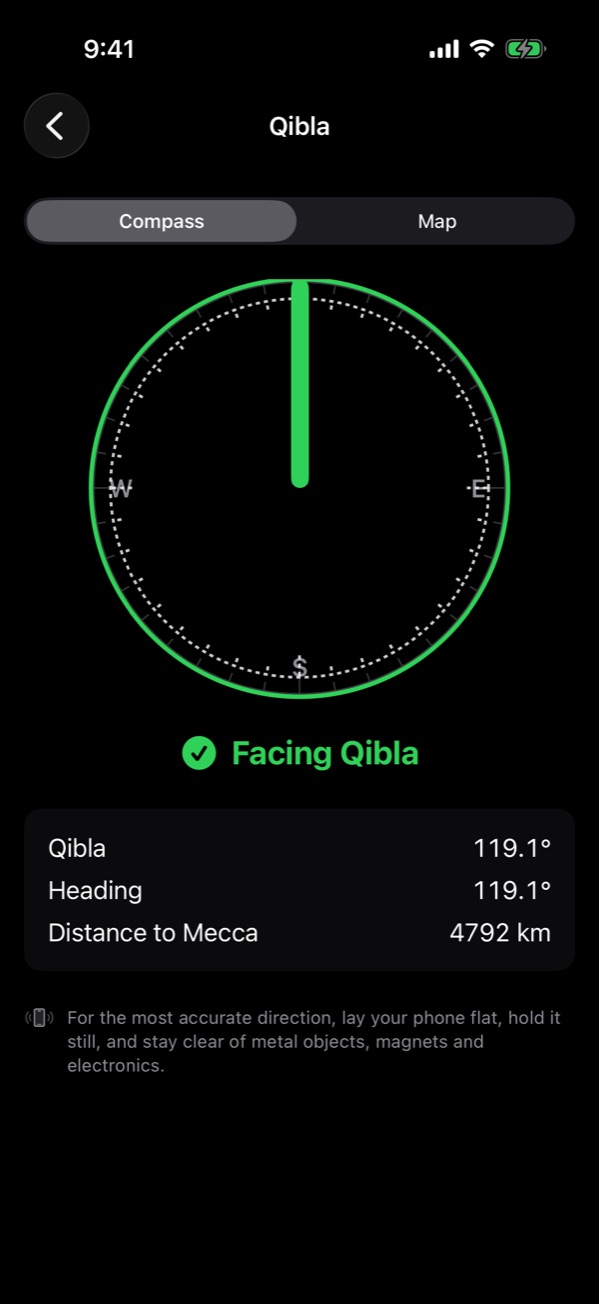
Open NearMasjid, go to Prayer, and tap the Qibla button. Hold your iPhone flat, away from metal, and turn until it shows Facing Qibla. If the compass seems off, move the phone in a figure of eight to calibrate, or switch to Map and line up the Qibla line with a landmark.
With the compass
- Open NearMasjid and go to the Prayer tab.
- Tap the Qibla button at the top.
- Hold your phone flat, away from metal and magnets.
- Turn slowly. NearMasjid tells you to turn left or turn right, and shows Facing Qibla when you are lined up.
With the map
Switch to Map. The Qibla line is drawn from your position towards Makkah, so you can line it up with a street or building you can see. This works even when the compass is unreliable.
Calibrate the compass
If the heading jumps around, move your iPhone in a figure of eight a few times. Take off magnetic cases and stay away from cars, radiators and speakers.
True north vs magnetic north
The Qibla bearing is from true north. Magnetic north differs by a few degrees depending on where you are (NOAA). NearMasjid uses true north; in Apple’s Compass app, turn on Use True North in Settings.
Look up your city
See the exact bearing for your city on Qibla direction by city, or use the Qibla calculator.
Face the Qibla anywhere
NearMasjid shows the Qibla on a compass or a map, with your heading, the bearing and the distance to Makkah.
Download on the App StoreFree for iPhone and iPad. No ads, no account, no in-app purchases.
Frequently asked questions
Why does my Qibla compass point the wrong way?
Usually metal, magnets (like a phone case or car mount) or electronics nearby. Move away from them and calibrate with a figure-of-eight motion.
True north or magnetic north?
The Qibla bearing is measured from true north. NearMasjid uses true north; Apple’s Compass app has a setting to use true north too.
Can I find the Qibla without a compass?
Yes. Use the Map view, or look up your city’s bearing on our Qibla direction by city pages.